Big Walk Beginner Tips: Hosting, Saves, and First-Session Setup
Big Walk beginner tips for your first session: pick a permanent host, choose the right world size, plan voice or text chat, and set up join codes and accessibility.
- Applies to
- Big Walk 1.4.7 (launch version)
- Published
- 2026-08-07
- Updated
- 2026-08-12
On this page
Most first-session problems in Big Walk come from three decisions made before anyone starts walking: who hosts, which world size you pick, and how your group plans to talk. Get those right and the rest of the opening hours take care of themselves. Everything below is ordered by priority — the hosting and world-size calls are hard to undo, so read those two sections even if you skim the rest.
Pick a host you will play with long-term
This is the single most important choice in the game. According to the official FAQ, the host’s copy of the world is the save: all world progress is saved automatically on the host’s side, and returning to the same world later requires the same host to open the session again.
The practical tradeoff: pick the person who will reliably show up for every session, not just whoever is fastest on the menus tonight. If your host loses interest or is often absent, your whole group’s progress sits on their account, and continuing that world without them becomes a real problem. Agree on the long-term host in your group chat before anyone creates a world.
Choose the world size you will actually field
When the host creates a world, they pick one of three tiers — 2 player, 3 player, or 4+ player — and the world’s content adapts to that choice. Big Walk supports 2 to 12 players total, but there is no random matchmaking, and solo play cannot meaningfully progress: you can walk around the island alone, yet the puzzles are built for a cooperating team.
The common beginner mistake is sizing the world for your whole group chat instead of your minimum reliable headcount. If four people are excited but only two show up every night, create the world for the number you can field consistently. The tier decision shapes how objectives are presented, so it is worth an honest conversation up front.
Decide on voice or text before you split up
Built-in voice and text chat are both limited by distance and obstacles, and that limitation is intentional — it is part of the puzzle design, not a bug to troubleshoot. The official FAQ confirms you can complete the entire game using text chat, so nobody in your group needs a microphone, and players who cannot or prefer not to speak are fully covered.
One honest tradeoff: playing over an external voice call (Discord and friends) works fine, but official materials note it can sidestep the proximity restrictions that some puzzles are built around. If your group wants the intended experience, use in-game communication; if you want a relaxed social evening, external voice is a legitimate choice — just know what it changes.
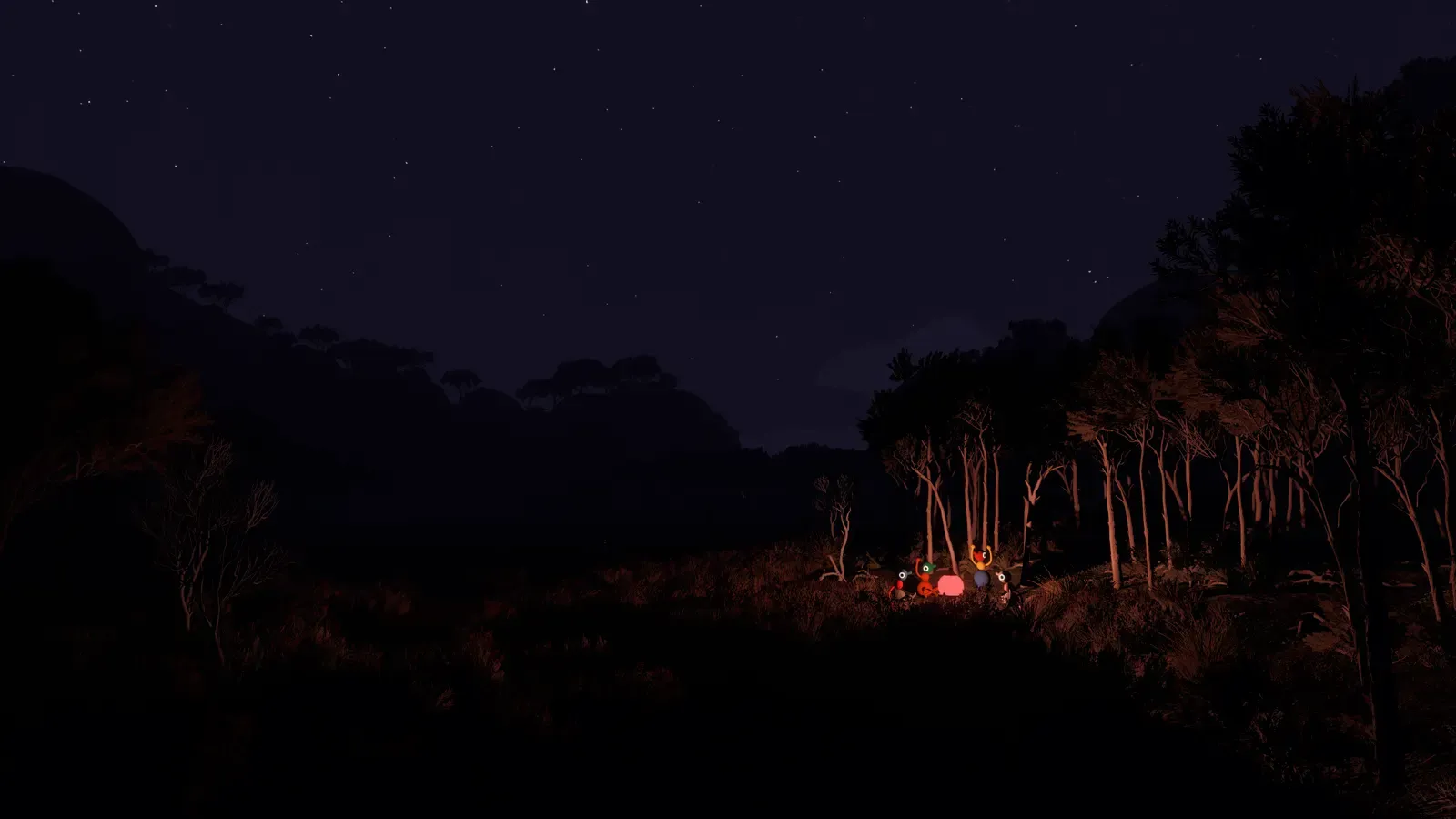
Official press kit image, © 2026 House House in cooperation with Panic.
Get everyone in with the current Join Code
Friends on the same platform can join an active session directly. Everyone else — and all Mac App Store players, who can only join this way — needs the Join Code that is generated each time the host opens a room.
Two traps to avoid. First, codes are per-session: last week’s code will not work tonight, so always send the fresh one. Second, for cross-platform groups, check that everyone’s version number matches in its first two segments before troubleshooting anything else — a version mismatch is the dullest possible reason to lose an evening (checked on August 7, 2026; the current launch version is 1.4.7).
Set accessibility and comfort options up front
Spend two minutes in the settings menu before the first hike. Big Walk offers rebindable keys, field-of-view adjustment, a Motion Reduction overlay, crosshair options, and hold-versus-toggle interaction settings. The host can also enable challenge skipping when setting up the session, which lets a stuck group move past a puzzle instead of bouncing off it.
Doing this before you start matters because these options affect how comfortable each player is for hours at a time — motion sickness, hand strain, and unreadable interfaces are the quiet killers of long co-op sessions, and all of them are cheaper to fix in the menu than mid-meltdown on a cliff face.
Play the tutorial beach, then learn your tools
Do not rush past the opening beach area. Its four puzzles are the fixed gateway that opens the Drawbridge — community guides and full-run recordings agree on this structure, and the Steam achievement list confirms the Drawbridge milestone. After the bridge, the four towers can be tackled in any order (community-reported), so your group gets its freedom quickly.
Between here and there, invest in learning the teamwork tools early. Gestures, walkie-talkies, flares, and binoculars all appear in official gameplay material, and once your group splits up across hills and valleys, marking and signaling reliably beats shouting coordinates at each other. Community guides suggest carrying a light source and using flares to regroup when someone gets lost; specific item counts and locations are single-source for now and need in-game verification, so treat exact numbers with caution.
 Official press kit image, © 2026 House House in cooperation with Panic.
Related guides
- Multiplayer guide — group size, Join Codes, crossplay, and communication options in depth
- Main route walkthrough — the milestone route from the tutorial beach to the ending
- Platforms and price guide — where to buy Big Walk and what each version includes
Evidence desk
Sources
- 01Official Big Walk FAQAccessed 2026-08-07
- 02Official Big Walk press kitAccessed 2026-08-07
- 03Official Big Walk gameplay overview videoAccessed 2026-08-07
- 04Screen Hype beginner tips (community cross-check)Accessed 2026-08-07
- 05Reddit r/BigWalk guides, unlockables, map locations and items threadAccessed 2026-08-07